Choosing tools · Article
ChatGPT Business or Microsoft 365 Copilot: which should your team choose?
Compare ChatGPT Business and Microsoft 365 Copilot through access, applications, preparation work and useful cost before equipping your team.
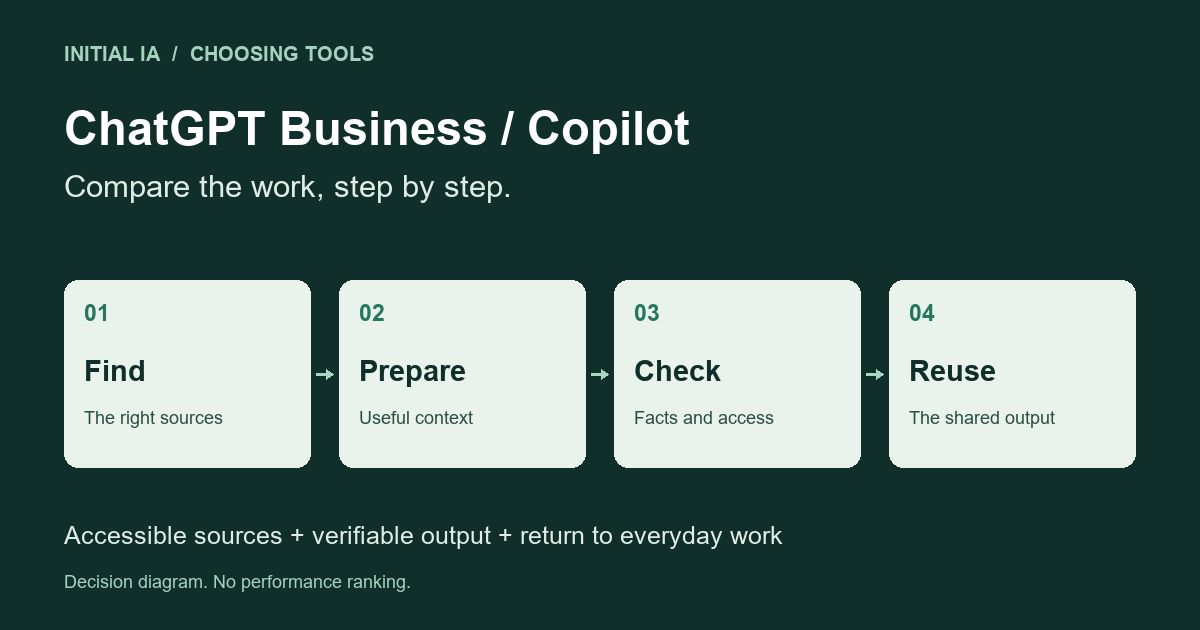
If your team spends its day in Outlook, Teams, Word and Microsoft 365 documents, start by examining Copilot within that environment. If the work mainly involves analysing files from several systems, developing arguments and revising content in a conversational workspace, ChatGPT Business deserves a focused trial. These are starting points, not a ranking of the underlying models.
The deciding question is straightforward: how many steps separate an employee’s request from a result they can actually use? A strong answer becomes less valuable if someone must find, export, rename and upload five attachments every morning.
Three offerings to distinguish
The name on an application icon does not establish which offering you have.
| Offering | What to distinguish | Consequence for the decision |
|---|---|---|
| Copilot Chat included with an eligible Microsoft 365 licence | Chat, supplied files and certain application contexts, including supported Outlook scenarios | Examine existing access before buying an addition |
| Microsoft 365 Copilot with an add-on licence | Broader organisational context across Microsoft 365 | Assess its value on work spanning several applications |
| ChatGPT Business | A team ChatGPT workspace with shared administration and billing | Examine work inside that workspace and access arrangements |
Copilot’s scope depends on the licence, interface and configuration. Microsoft documentation. ChatGPT Business is separate from the OpenAI API: the subscription does not include API usage. ChatGPT Business FAQ.
Ask for a demonstration using an ordinary employee’s account and their authorised documents. An administrator account does not represent an account manager’s working day.
Compare the path from information to finished work
Consider a fictional example. A sales manager is preparing a renewal meeting. She needs to recover previous commitments, identify two unresolved issues and draft an agenda.
| Actual situation | What to examine first |
|---|---|
| Relevant exchanges and documents live in Microsoft 365 | What Copilot can actually retrieve in the application being used |
| Information comes as files from several systems | The effort required to assemble those files in the chosen workspace |
| Part of the record is missing or contradictory | How the assistant flags the gap and identifies supporting material |
| The output must become a shared document | The remaining steps and review before that document is usable |
This exercise can reveal a problem no subscription solves: nobody knows which contract version is authoritative. Buying another licence will not resolve that uncertainty.
In this example, fluent writing is insufficient. Check whether the commitments exist, whether the issues remain open and whether the agenda separates facts from questions requiring confirmation. A polished summary that turns an assumption into a promise creates more work.
A demonstration that makes errors visible
For the renewal meeting, replace a vague request with a small authorised dossier. This is an entirely fictional case, readable here without downloading a file.
| Source | Available information |
|---|---|
| P1: signed contract | The contract ends on 31 December; no renewal discount is signed |
| P2: sales email | A 10% discount is proposed, subject to approval |
| P3: support ticket | The billing incident was closed on 2 October |
| P4: internal meeting note | A delivery-delay issue remains open; no confirmed cause is recorded |
Ask for three outputs: agreed commitments, unresolved issues and an agenda. An acceptable answer uses P1 for the end date, describes P2's discount as a proposal, distinguishes P3's closed incident from P4's open issue and leaves the cause unknown.
“Renewal secured with a 10% discount; two incidents to resolve” needs correction. It turns a proposal into a commitment and reopens an already closed ticket. The prose might be flawless, yet the meeting would start with two incorrect assumptions.
Run the same exercise in both environments with an authorised employee. If one cannot read P3, record source inaccessible: you have observed an access problem, not established weaker reasoning. You can then compare reasoning on a common dossier, but keep that second exercise separate from access in the actual working environment.
This case alone does not rank suppliers. It gives the team an expected answer, observable errors and a way to avoid letting an attractive demonstration decide the purchase.
Separate access to information from sharing the answer
An assistant may retrieve information because the employee has permission to see it. That does not mean the resulting answer should be distributed to the whole team.
Microsoft says Copilot respects existing permissions. Their quality therefore matters: a folder shared too widely remains shared too widely. Microsoft documentation.
OpenAI says business data is not used to train its models by default. ChatGPT Business conversations do not automatically become visible to every colleague. Those protections still need to be considered alongside your sharing rules, applicable contract and settings. OpenAI business data; ChatGPT Business privacy.
Before deployment, establish who may access the original material and who may receive the output. They are separate decisions.
Useful cost goes beyond the price per user
Request a dated quotation for your actual user count. Include prerequisite subscriptions, required options and administration time. Do not compare a standalone price with a figure that already includes another subscription.
Preparation and correction time also belong in the decision. A cheaper tool requiring repeated exports may consume more staff time. Conversely, extensive integration adds little for an employee who rarely uses the relevant applications.
Every role does not necessarily need the same tool. An initial allocation by role can show where each service helps. Keep that allocation understandable enough that internal support and data rules do not become more complicated than the original task.
Comparable prices require equivalent commitments
As of 9 October 2026, OpenAI lists Business Standard seats at US$25 per user per month on monthly billing, or US$20 per month on annual billing, with at least two paid seats. Premium seats have separate pricing. Compare that reference with a Microsoft quotation only on equivalent scope, currency, taxes and commitment length. OpenAI pricing FAQ.
For a fictional team of eight where two people use AI daily, buying eight new subscriptions confuses observed need with intended use. Start with the relevant roles and individual accounts, then expand according to actual use. Useful work should remain accessible to the business if its author changes roles: decide where final documents will be kept.
How many minutes justify the extra cost?
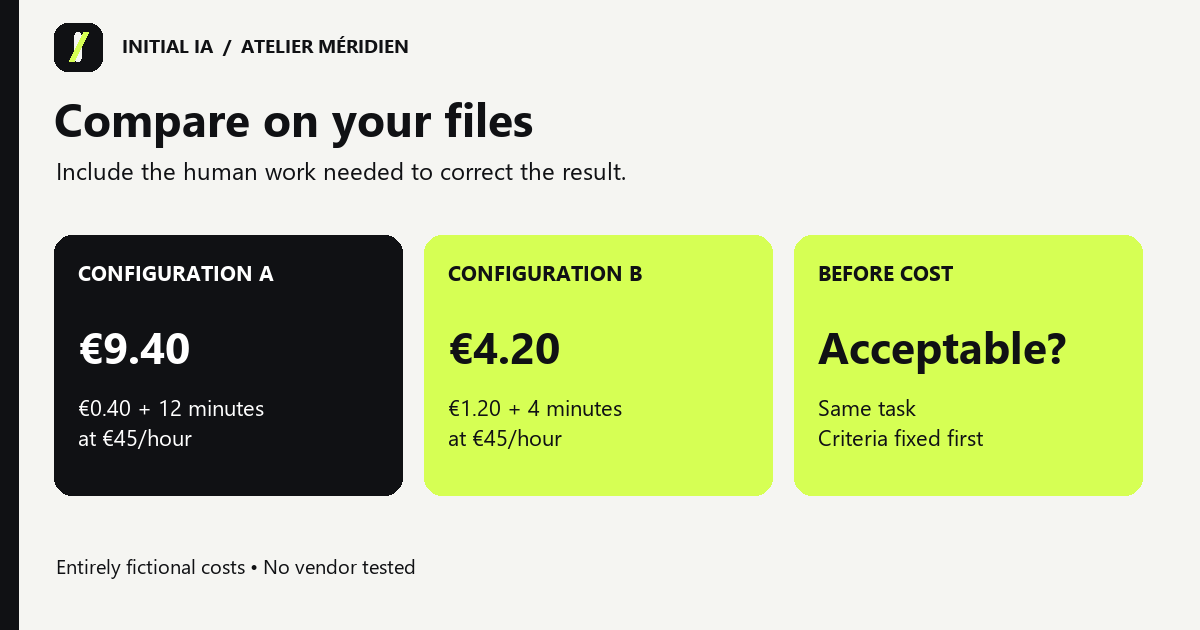
Consider a decision assumption unrelated to any supplier's actual price: one configuration costs €30 more per person per month, and the chosen staff-time rate is €45 per hour. It must free 40 minutes per month to offset that difference in time value: 30 ÷ 45 × 60. Across twenty comparable monthly tasks, that means two minutes per task.
Measure the whole path: finding sources, preparing the request, checking, correcting and storing the output. If automatic retrieval saves four minutes but review adds three, the net gain is one minute. Across twenty tasks, that is twenty minutes, worth €15 under this assumption: time alone does not cover the €30 difference.
Include setup and maintenance, allocated over the chosen period. Freed time is available capacity, not automatically cash savings. Quality and permissions remain acceptance conditions: an unusable answer does not become worthwhile merely because it arrives quickly.
Make a deployment decision, not a universal ranking
Prioritise Copilot if its integration removes steps from the Microsoft 365 tasks that matter, with the expected access. Choose ChatGPT Business if its workspace better supports your cross-system tasks and preparing the information remains manageable. Keep both only when each serves a distinct, identifiable and regularly used purpose.
There is also a third decision: buy nothing additional for now. If existing Copilot Chat access handles straightforward rewriting, it may be sufficient for that use. If required information remains impossible to find or unauthorised for upload, address that obstacle before paying for another interface.
Finally, ask the future user to repeat the demonstrated task independently. The choice becomes defensible when they can obtain the result, recover its source and return it to their work without continuous assistance.
Documentation and features checked on 9 October 2026. No performance comparison was conducted for this article.
Choosing by use rather than a universal ranking connects with Ethan Mollick’s guide to selecting AI tools. That article dates from 2025: its model recommendations and prices are not treated as current here. The product details above use supplier documentation checked on 9 October 2026.