Business integration · Practical guide
Update your CRM with AI after a customer conversation
Update the correct record with approval and an audit trail.
To update a CRM with AI, first prepare a proposed change: the person concerned, permitted fields, old value, new value and supporting source. Approve this proposal before writing. Success means updating the right record with the right information and creating an action only once.
A note, an identified contact and permitted fields.
Download this guide’s exercise kitThe fictional dataset supports a minimal example. It lets you examine identity matching, duplicates and changes made while approval is pending, without connecting a real CRM.
Which information should be extracted from a conversation?
Choose a small number of clearly defined fields. A next action, an explicitly agreed deadline and a product discussed are different pieces of information. “Send me a proposal” does not mean “deal won”. “We will discuss it on Friday” does not always provide a usable date without the conversation's context.
For each value, retain an excerpt and a reference to the original note. The meeting summary remains useful for understanding the whole conversation; the CRM receives only the fields needed for follow-up.
If the input is a recording, first check the applicable conditions for recording and using it. This exercise uses fictional written notes and assumes no permission to record customers.
Should a missing field erase the CRM value?
No: information absent from a conversation does not request deletion. Distinguish three intentions: retain a value, propose a new value and explicitly request removal. In a partial update, an empty string should not become an implicit deletion request.
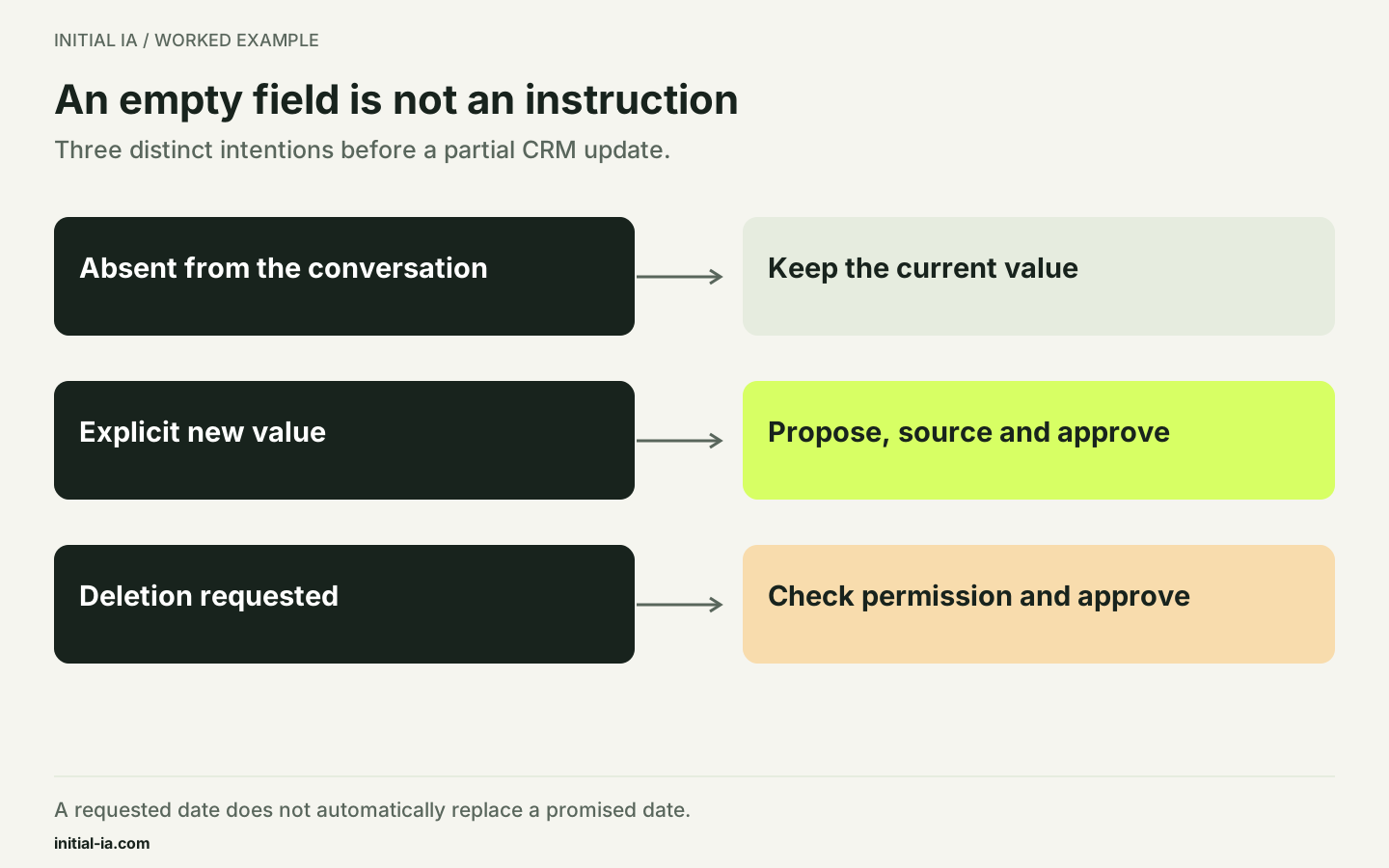
The field contract proposes one rule per information type. A requested date may populate a task; it does not automatically replace a promised date. A message containing a new phone number must be linked to the correct contact before becoming a correction proposal. The approver should see current and proposed values side by side.
How do you avoid updating the wrong record?
A first name or an approximate company name is insufficient. Use an already verified identity, such as the CRM identifier attached to the appointment or a known address in the appropriate context. If two records match, ask the responsible person to choose.
In our example, note N-104 is explicitly linked to contact C-017. It requests a maintenance proposal for the Rouen site, to be sent on 30 September 2026. A second note mentions only “Camille Martin”, while two contacts share that name: no automatic update is allowed for that second note.
| Field | Proposal from N-104 | Check |
|---|---|---|
| Contact | C-017 | Explicit association supplied with the note |
| Next action | Prepare a maintenance proposal | Source wording retained |
| Requested date | 2026-09-30 | Explicit date in the note |
| Sales stage | Unchanged | No purchase agreement in the source |
A prompt for preparing the proposed update
Using the attached note and record, propose an update.
Allowed fields: next action, explicit date, expressed need.
For each, provide the old value, proposed value and source excerpt.
Do not change the sales stage or invent a deadline.
If identity is ambiguous, return “identity matching needs approval”.
If the data conflicts, show the conflict.
The result is a proposal. Do not perform any write operation.
The field list defines a functional boundary, not a sufficient security mechanism by itself. The program performing the update must also reject unauthorised fields and use only the necessary permissions.
What should the approval screen show?
Avoid a bare “accept update” button. The reader should see the identified contact, source note, proposed fields and fields that will remain unchanged. In example N-104, the proposal concerns a maintenance-offer task for C-017, with a requested due date of 30 September. It establishes neither commercial agreement nor a won opportunity.
| Proposal element | Information to show |
|---|---|
| Identity | C-017 and evidence linking the note to this record |
| Action | Create the proposed task without changing sales status |
| Due date | Extracted date and source passage |
| Version | Record version when the proposal was prepared |
| Approval | Person, time and exact approved version |
A user correction should create a new, identifiable proposal. A useful audit trail records more than “AI updated the record”: it connects the request, proposal, approval and write result. The event-log template provides those columns and a fictional sequence to adapt.
What if the record changes in the meantime?
A proposal may become stale during review. Retain the record version or modification timestamp when preparing it and check that value before applying the change. If a colleague has changed the next action, present the updated values rather than overwriting their work.
The acceptance worksheet covers six cases: a rejected write without approval, a valid update, an identical repeated event, changed content under the same identifier, an ambiguous identity and a stale version. These cases are executed in the SQLite demonstration. No AI extraction or connection to commercial software has been executed for this article.
Why must one message not create two actions?
A connector may receive the same event again following an error or retry. The write operation should recognise an event already processed. Give the input a stable identifier and record completion together with the modification, rather than relying solely on the action's text.
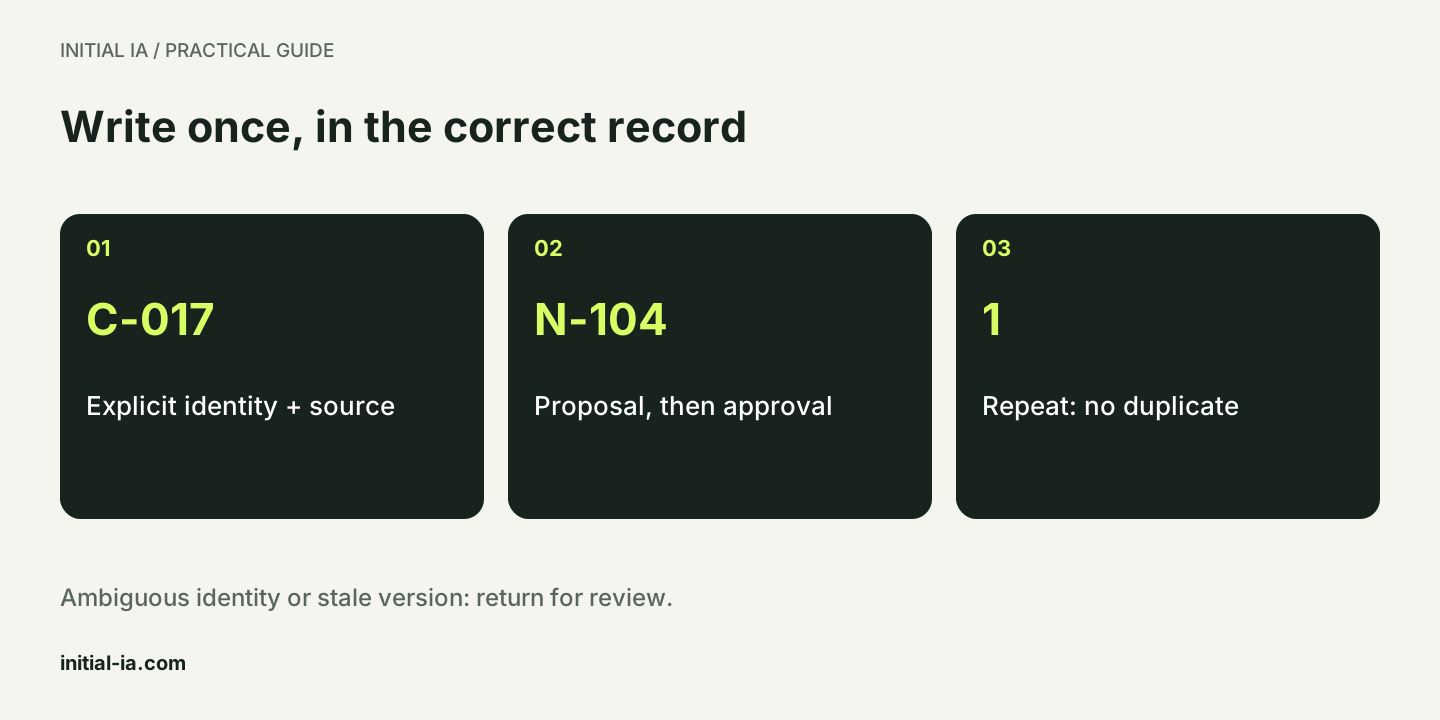
The local demonstration uses a small SQLite database with an event register. A second execution of N-104 does not create a second task. This illustrates a mechanism; it does not certify the behaviour of HubSpot, Salesforce or a production connector. Their APIs and retry behaviour need separate verification, for example using the official n8n HubSpot connector documentation.
How do you recover after a lost response?
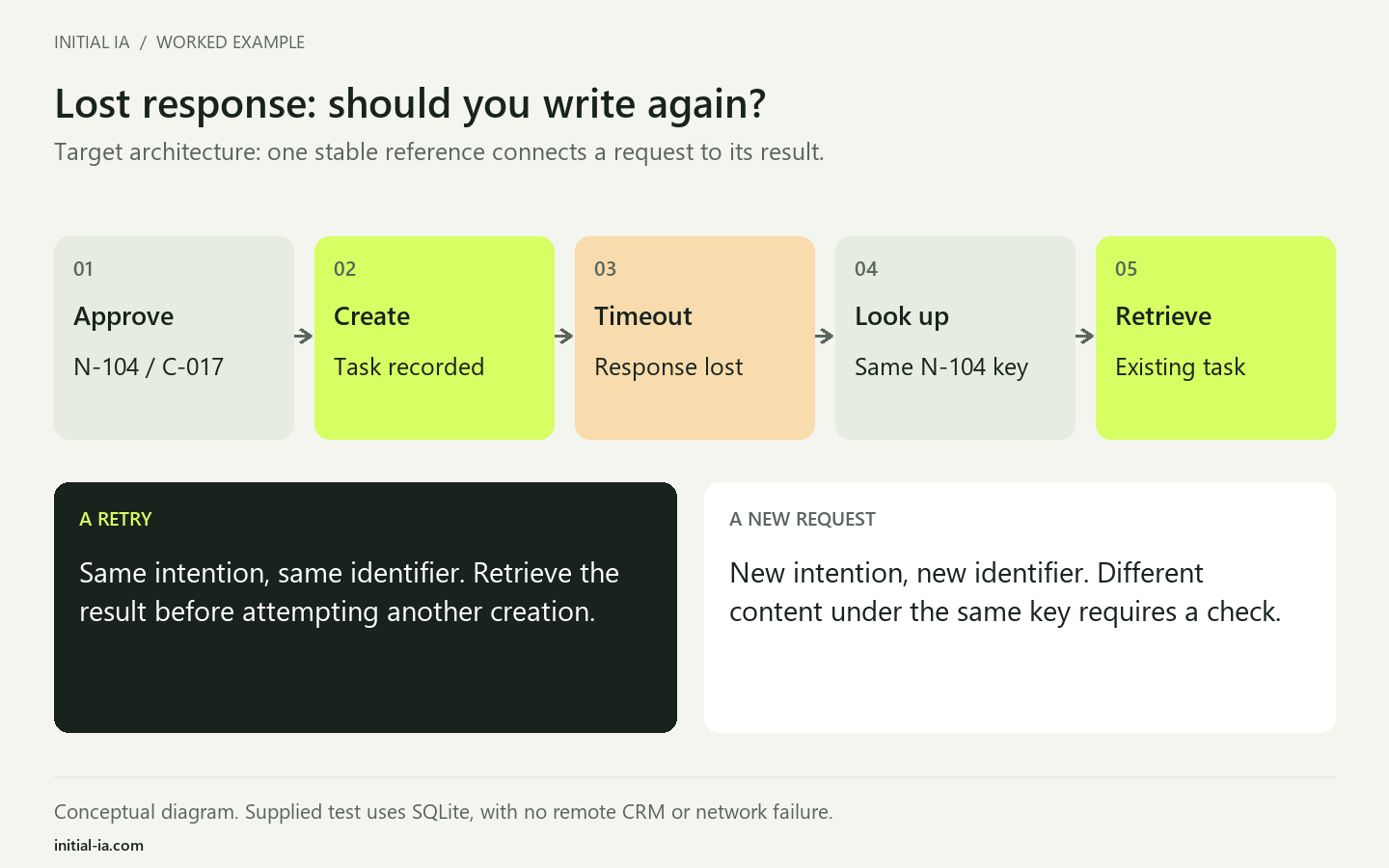
Suppose the CRM creates the task, but its response never reaches the automation. A timeout does not prove that the write failed. Before retrying, look up the operation using its stable identifier. If it already exists, retrieve its result; otherwise, apply the agreed recovery strategy.
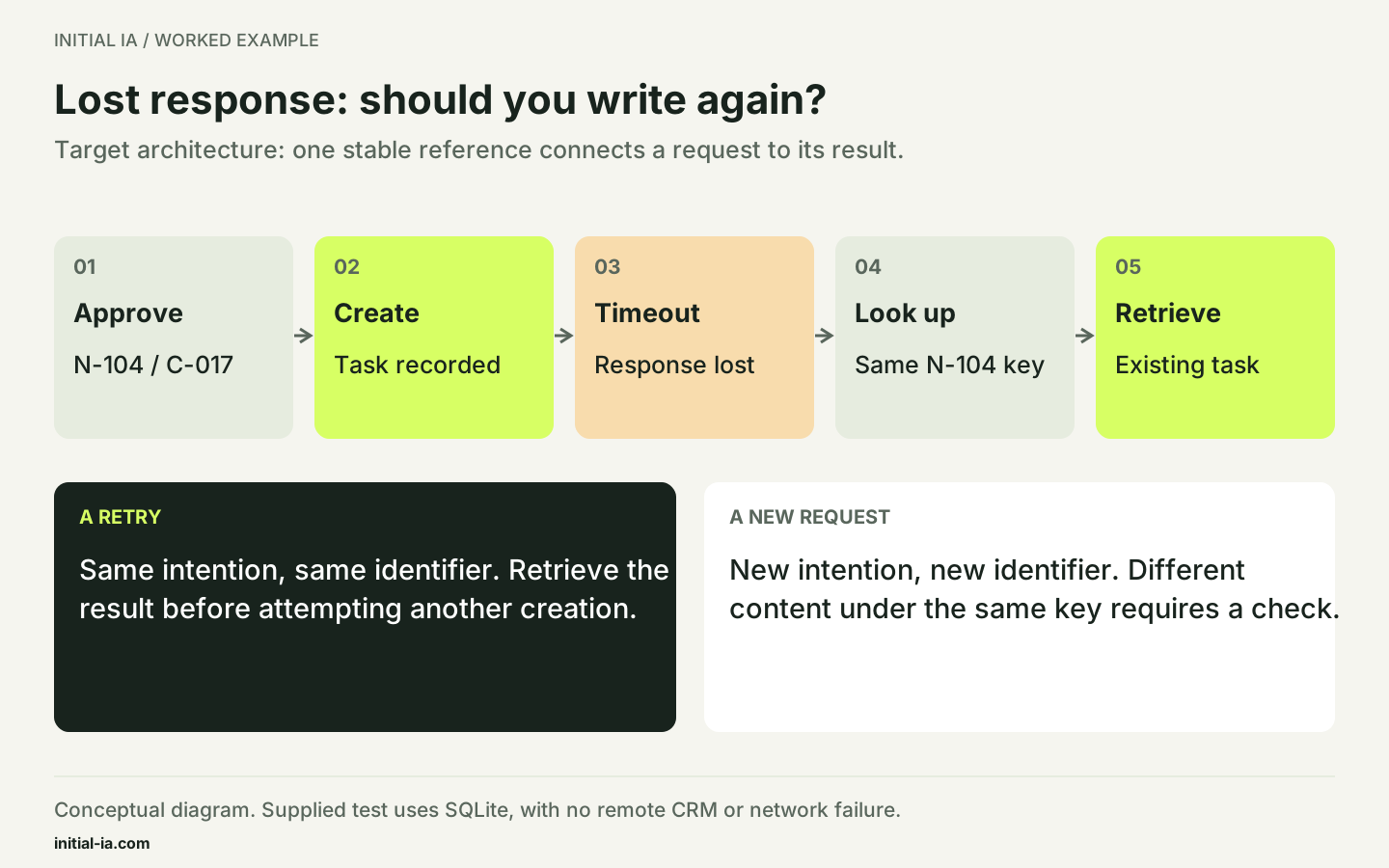
The AWS Builders' Library describes caller-provided identifiers for recognising repeated requests. A new intention needs a new identifier; reusing an old identifier with different content should trigger a check.
This guide's demonstration stores the task and event in the same SQLite transaction. A remote CRM introduces another boundary: writing to the CRM and saving the result locally do not automatically form one transaction. Check whether the API supports an idempotency key or reliable lookup by an external reference. Otherwise, provide manual reconciliation for uncertain outcomes. The diagram describes the intended architecture; the kit does not simulate a commercial CRM network failure.
How do you correct a write already applied?
Prepare this case before launch. If a task was created under the wrong record, suspend dependent actions, examine the audit trail and obtain approval for the correction. Retain the history needed to understand the error.
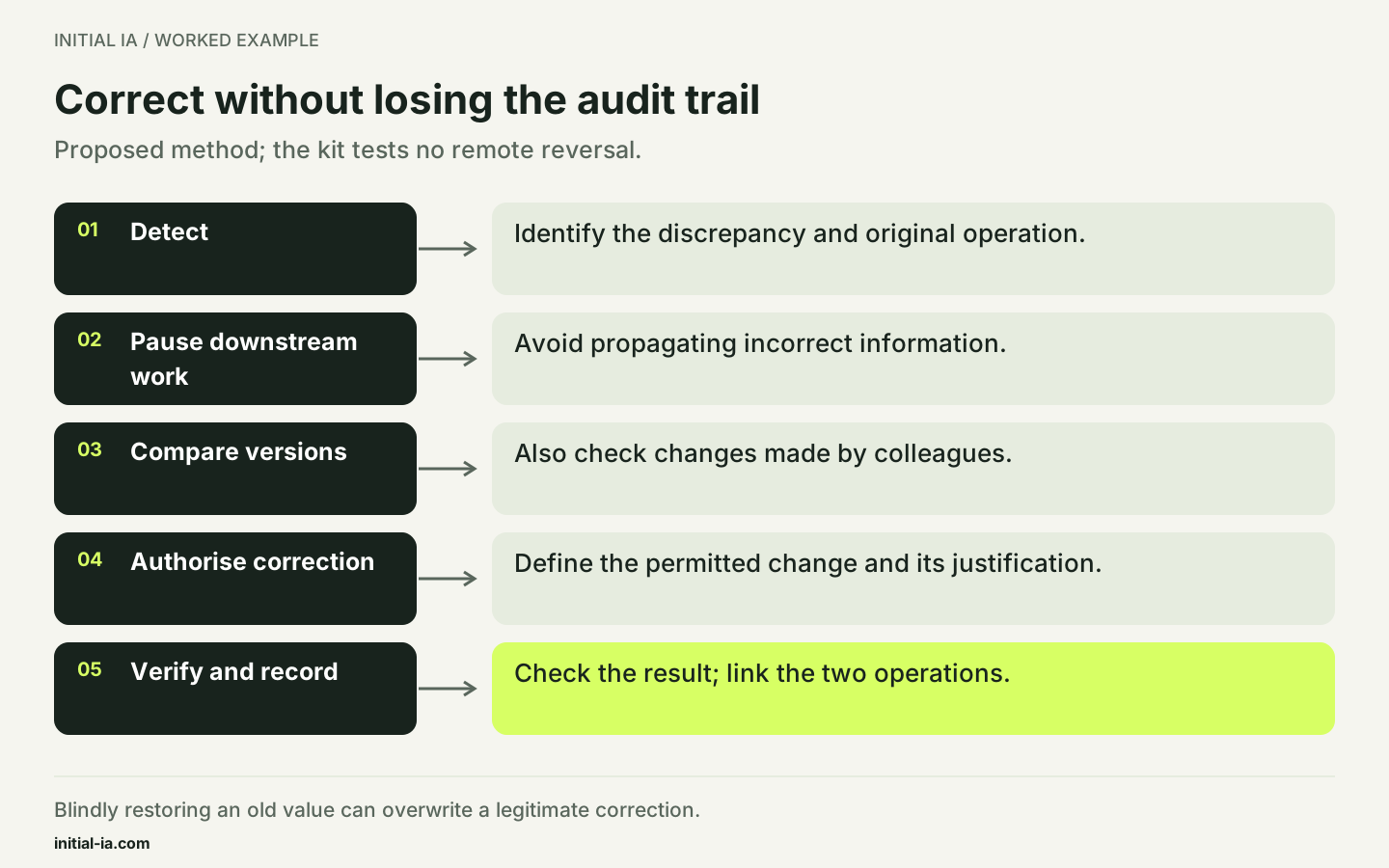
Automatically restoring the previous value could overwrite a legitimate change made by a colleague in the meantime. Compare the current version before correcting it. Record the corrective operation separately and link it to the original request. This describes an operating method to implement: the supplied SQLite demonstration tests neither remote reversal nor downstream actions.
Your decision: the retry contains a different due date
Fictional case: N-104 already created a task due on 30 September. Another delivery reuses N-104 but now requests 2 October. Is this simply a retry?
- A. Yes: ignore the entire delivery because the identifier exists.
- B. No: content differs; review the change as a new intention.
- C. Overwrite the due date without review because the request is newer.
Read the explained answer
B. A matching identifier does not prove matching intent when content changes. Compare the request with what was already processed, then authorise an identifiable correction. The expanded SQLite demonstration now compares a content hash with the processed event. This sixth case returns a conflict and preserves the original due date. It tests the local mechanism without certifying a remote CRM API's guarantees.
Adapt this: which fields define intent, and where will you retain the approved request version?
Do you need to replace the CRM? Not for this requirement alone. First check the fields and interfaces in your current tool. The cost and scope of integration depend on its actual capabilities.
To prepare a pilot with Initial IA, bring an anonymised note, the expected record and approval rules. You can then compare review time with current data-entry time, without assuming a saving.
Written by Initial IA, 26 September 2026. Expanded on 27 September 2026. Fictional data and local consistency tests, not a CRM or model benchmark.
Try it yourself.
Find fictional documents, blank templates and answer keys in the practical kit.
Download this guide’s exercise kit